Weather Replay puts the last 90 days of weather on a world map, three hours at a time. Look back at the wind on the day you crossed, the swell that kept you in port, or how a front really came through. It’s part of OceanPulse Pro.
Open Weather Replay#
In the sidebar, under Conditions, tap Weather Replay. The first time, the map centres on your location; after that it opens where you left it.
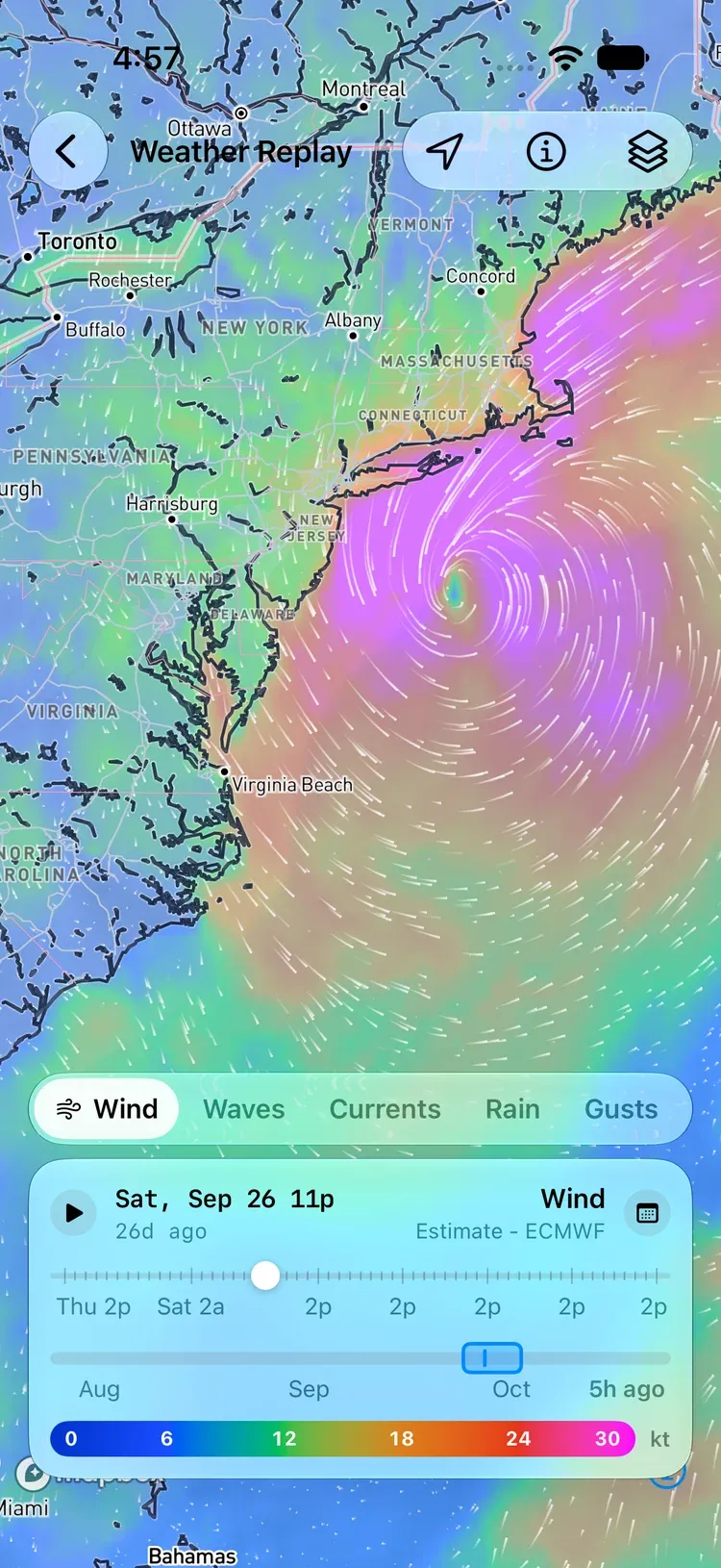
What you’re looking at#
Each frame is ECMWF’s best estimate of the weather at that moment: the starting point of one of its forecast runs, every three hours, on a 25 km grid. It’s the closest thing to a record of the weather over the whole ocean, but it’s a model estimate, not a measurement from any one place.
Sea Temp is the exception. Its frames are NOAA’s Geo-Polar Blended sea surface temperature, measured by satellites, buoys, and ships: one frame a day, labeled Observed rather than Estimate.
Choose a layer#
The strip along the bottom has the same nine layers as Weather Maps: Wind, Waves, Currents, Sea Temp, Rain, Gusts, Cloud, Air Temp, and CAPE.
- Rain is the total that fell in the three hours before each frame, in mm/3h or in/3h depending on your units.
- Gusts are the strongest in the hour before each frame.
- Sea Temp steps a day at a time, and the readout shows the day it was measured. Its colours fit the water on screen, as on Weather Maps.
Pick the days#
The card at the bottom has two timelines.
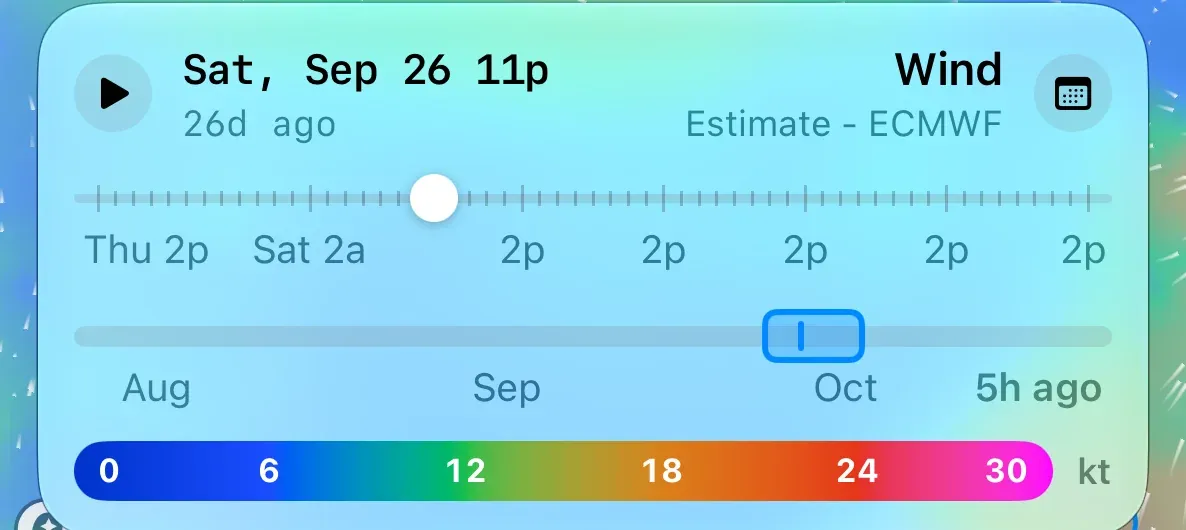
- The 90-day strip runs along the bottom, labeled by month. The highlighted band is the seven days you’re looking at. Drag the band or tap anywhere on the strip to move it. While you drag, a bubble shows the days the band will cover, like Sep 25 – Oct 2, and the frames load when you let go. Hatched stretches are runs ECMWF didn’t publish, or days NOAA didn’t.
- Go to Date: tap the calendar button and pick a day. The band moves to end on that day.
- The frame scrubber above the strip covers the seven days in the band, every three hours (every day on Sea Temp). Drag the handle or tap play. The readout shows the date and time, and how long ago it was, like 7d ago.
Map Options#
The Map Options button opens the layer grid and an Opacity slider, from 10% to 100%. Each layer has one source, ECMWF or, for Sea Temp, NOAA, so there’s no model menu and no split view.
Connection#
Weather Replay needs an internet connection.
- Couldn’t load… Check your connection: tap Try Again once you’re back online.
- Couldn’t load in the card’s header means one frame failed. The map keeps the last frame that loaded; tap Retry in the readout to try again.
- No data in this area: the layer doesn’t cover where you’re looking, such as waves or currents over land.
Pro#
Weather Replay is part of OceanPulse Pro.