Daily Summary turns the forecast for each of your places into ten days of plain language. Every day is split into morning, afternoon, evening, and overnight, with the wind, sky, sea & tide for each.
Open Daily Summary#
In the sidebar, under Forecast, tap Daily Summary.
Your places#
The list starts with Choose on Map, then My Location, then the places you’ve saved. Each row shows the place’s local time, the temperature and wind now, and the day’s high and low. Tap a place to open its summary.
On Android: the first time you open the list, OceanPulse asks for your location. Choose While using the app. Approximate is enough for My Location’s forecast.
- Search for a place finds towns and cities, near you first.
- Choose on Map adds any point you tap, out on the water included. Places at sea are named for the water they’re on.
- Remove or reorder: swipe left on a place to delete it, or tap the … button and choose Edit List.
Tables & Graphs use the same list, so a place you add in one shows up in the other, and the place you pick in one is picked in both.
Read the summary#
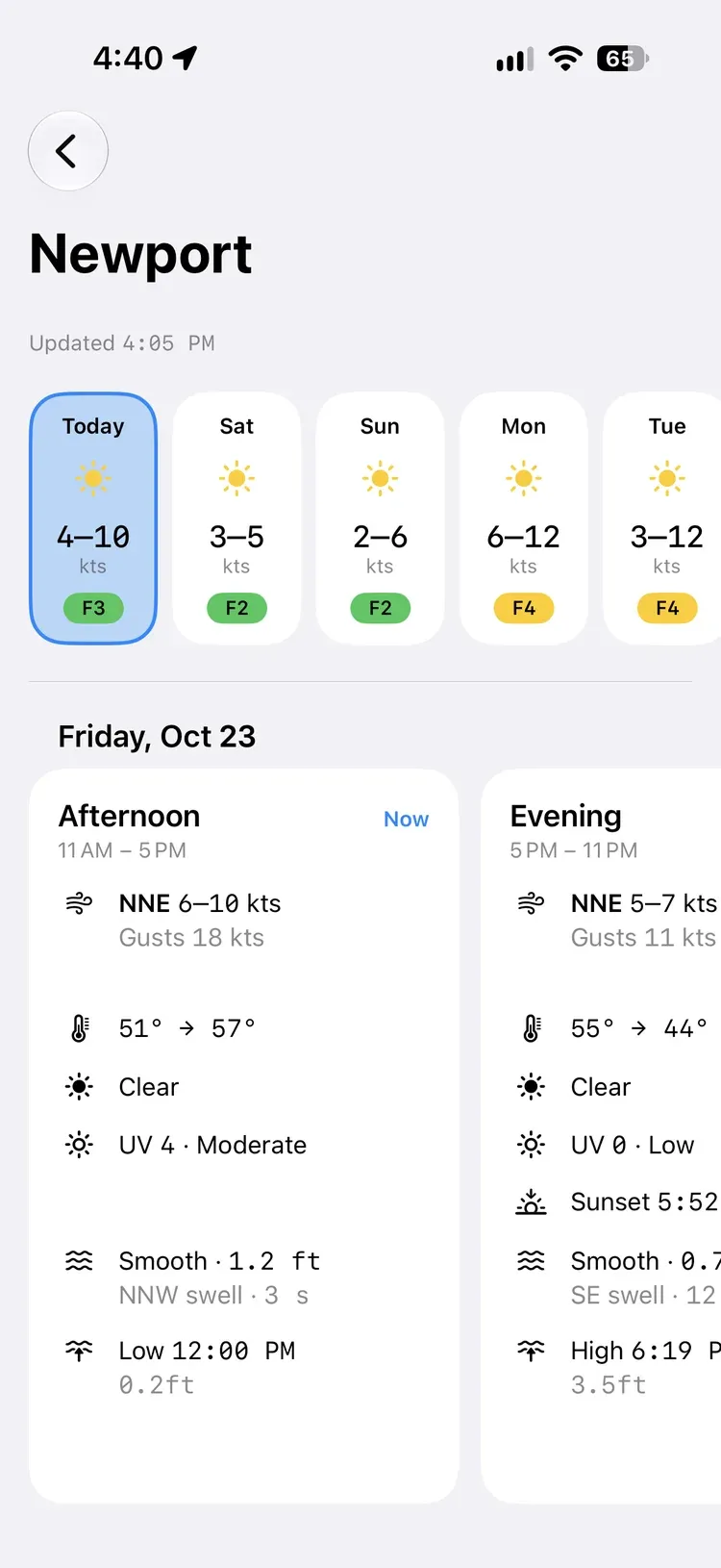
Under the place’s name, Updated says when the forecast was issued.
The day tiles along the top show each day’s weather, its wind range, and a Beaufort force badge, like F5. Tap a day to jump to it; as you scroll the cards, the tile for that day lights up.
The period cards split each day into four:
| Period | Hours |
|---|---|
| Morning | 5 AM to 11 AM |
| Afternoon | 11 AM to 5 PM |
| Evening | 5 PM to 11 PM |
| Overnight | 11 PM to 5 AM |
The period you’re in is marked Now, and periods that have passed drop off.
On each card#
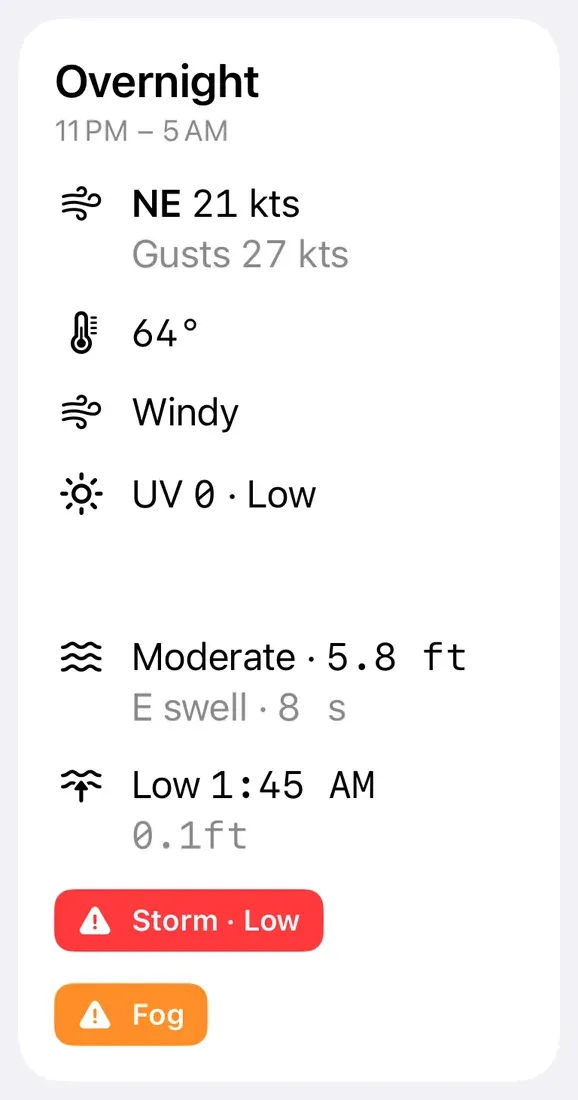
- Wind: the direction and the range of speeds, like SW 8–14 kts, then the gusts, and whether the wind is veering or backing if it swings 45° or more. Under three knots it reads Light and variable.
- Temperature: the range, or the change, like 18° → 24°, when it rises or falls by more than a few degrees.
- Sky: Atmospheric conditions, prioritizes thunder, rain, or snow if in the forecast.
- UV: the UV index and how strong it is, like UV 6 · High.
- Sunrise or Sunset, when one falls in that period.
- Sea: the sea state on the Douglas scale and the highest waves, like Slight · 0.8 m, then the swell’s direction and period. This shows wherever there’s wave data.
- Tide: from the nearest tide station within 10 NM, either the time and height of a high or low, or how far it rises or falls.
- Marine alerts: coloured badges for warnings in force nearby. Tap one to open it in GMDSS.
Times are in the place’s own local time. My Location uses your device’s time zone.
Updates and connection#
Daily Summary fetches a fresh forecast when the current one expires, when a period ends, and when you come back to the app.
It needs an internet connection. If the forecast can’t load you’ll see Forecast Unavailable. Tap Try Again once you’re back online.
Free and Pro#
Daily Summary is free. The tide line on each card is part of OceanPulse Pro.