Tools · Anchor Alarm
Sleep while the anchor holds.
Drop the anchor and OceanPulse sizes the swing circle from your GPS, then watches the boat all night. If it drags, loses GPS, or runs low on battery, the alarm sounds aboard and on your crew's phones, wherever they are.

The zone
A circle that fits the anchorage
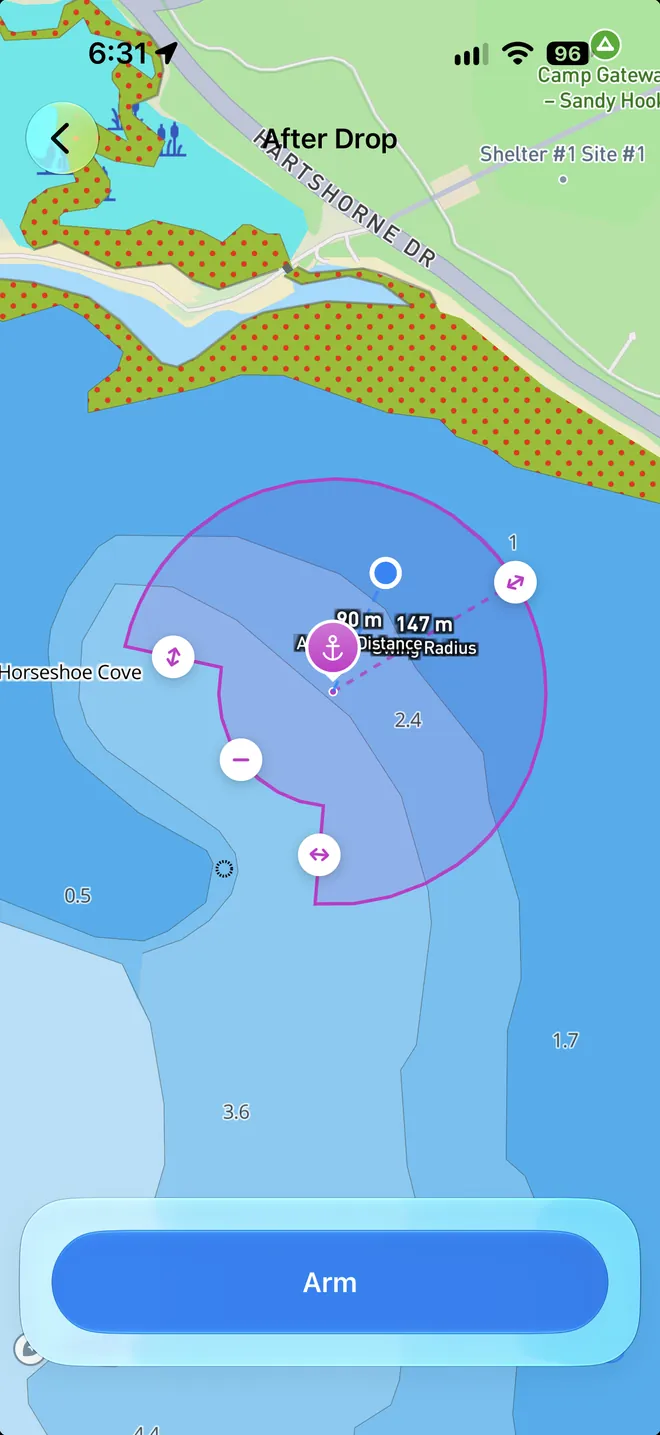
Set the anchor as it drops, or after it's down. OceanPulse draws the swing circle from your boat's length and position, and you drag it to fit: move the anchor, resize the circle, and cut a slice back from a rock, a shoal, or a neighbor.
- As it drops, or after
- Live Anchoring marks the spot as the anchor goes down. After Drop sets the watch up once it's already down.
- Keep clear of a hazard
- A keep-clear slice pulls the zone in on one side, so a swing toward the shallows sounds sooner.
- Any device aboard
- An iPhone, or an iPad with GPS, watches the anchor. With NMEA Connect it can use the boat's own GPS.
The alarm
Woken only when it matters
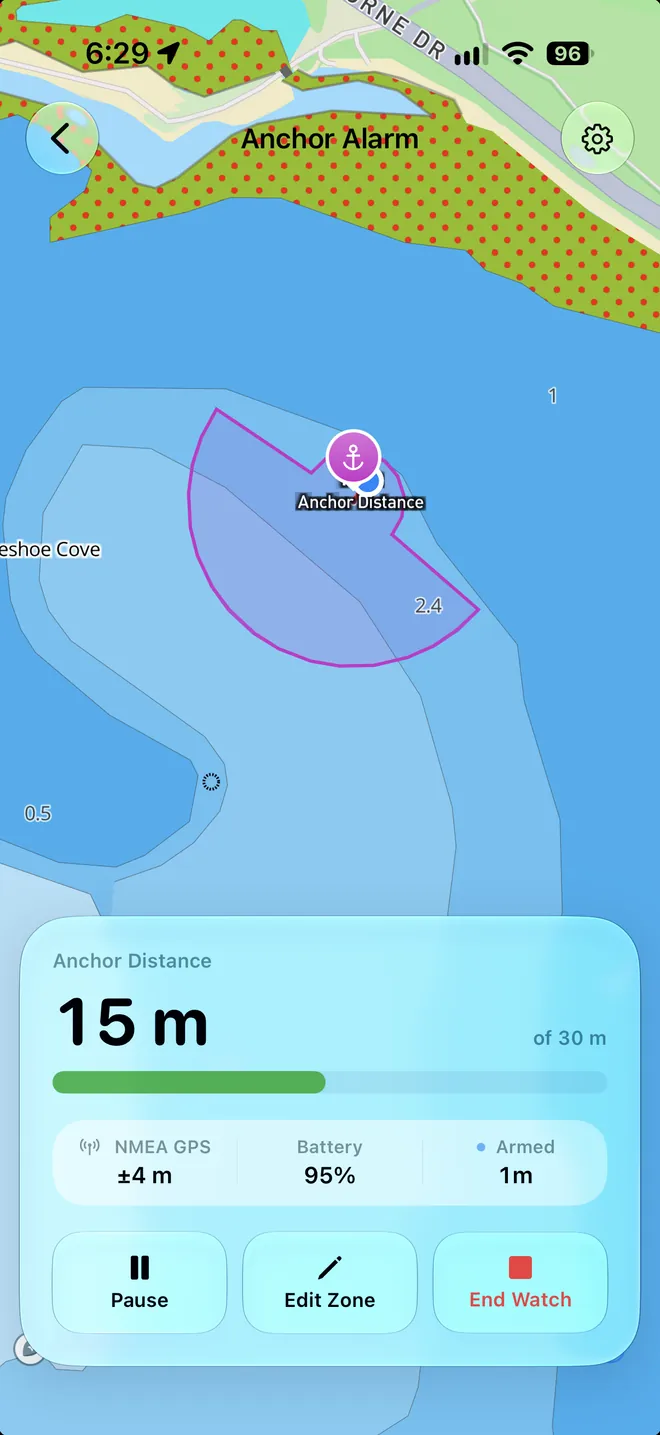
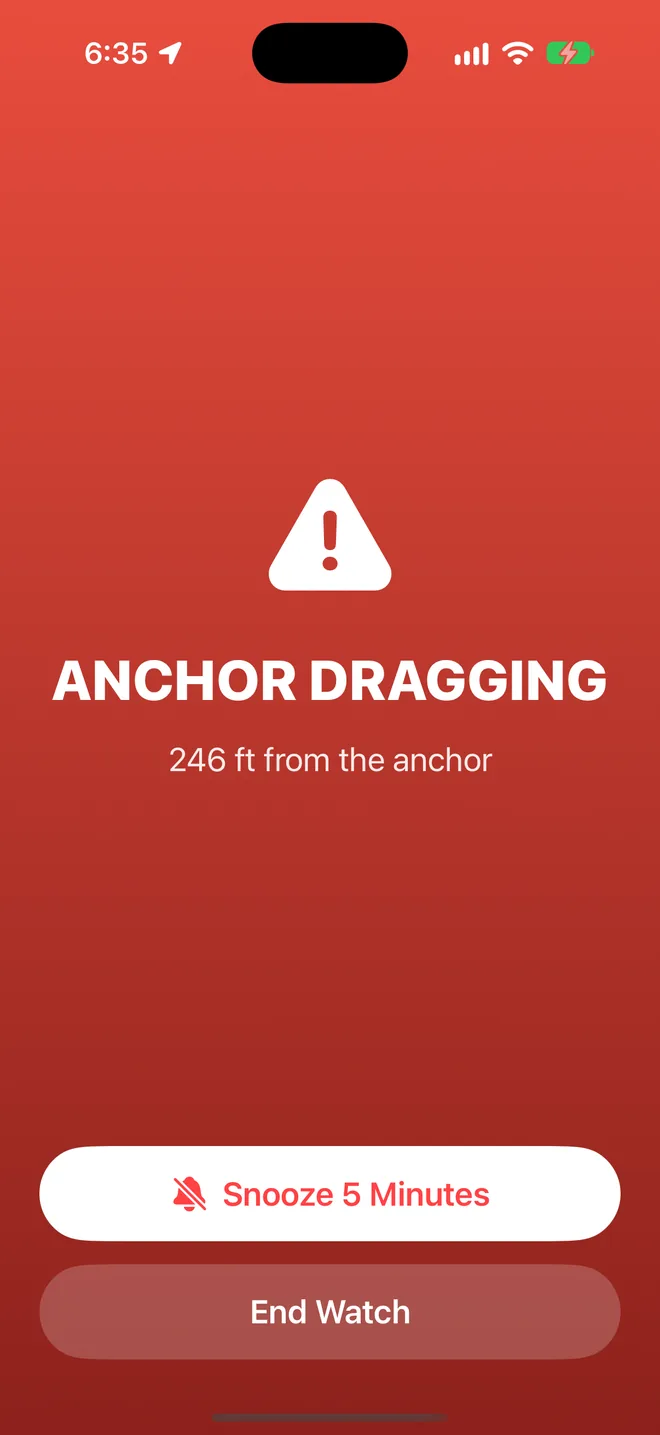
The alarm takes over the screen with how far the boat is from the anchor. A drag counts only when three of the last four positions are outside the zone, so a single stray GPS fix never wakes you.
- Three alarms
- The anchor dragging, GPS lost for three minutes, and the battery below 10% and not charging. The drag alarm is always on.
- Snooze or pause
- Snooze for five minutes while you check, or pause the watch and keep the zone for later.
- Heard when locked
- Time-sensitive notifications keep sounding every 30 seconds until someone answers.
Your crew
Everyone gets the alarm
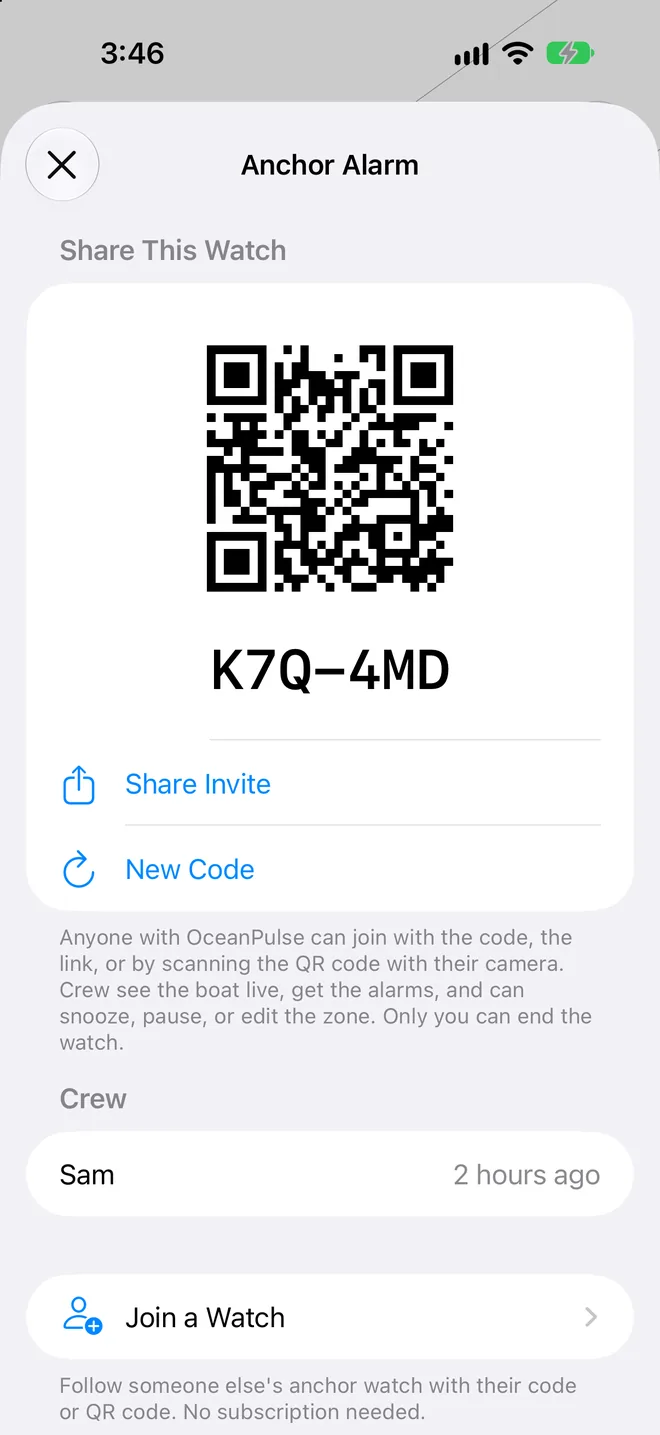
Share the watch with anyone who has OceanPulse, on any plan, free included. They scan the QR code, tap the link, or type the six-character code, and the boat is on their phone, live, with its alarms.
- Crew can help
- Anyone on the watch can snooze an alarm, pause the watch, or move the zone. Only you can end it.
- You decide who's on
- See who joined, remove anyone, or make a new code so the old one stops working.
- No subscription to join
- Sharing needs Elite. Joining doesn't, so the whole crew can follow along.
Ashore
Follow the boat from shore
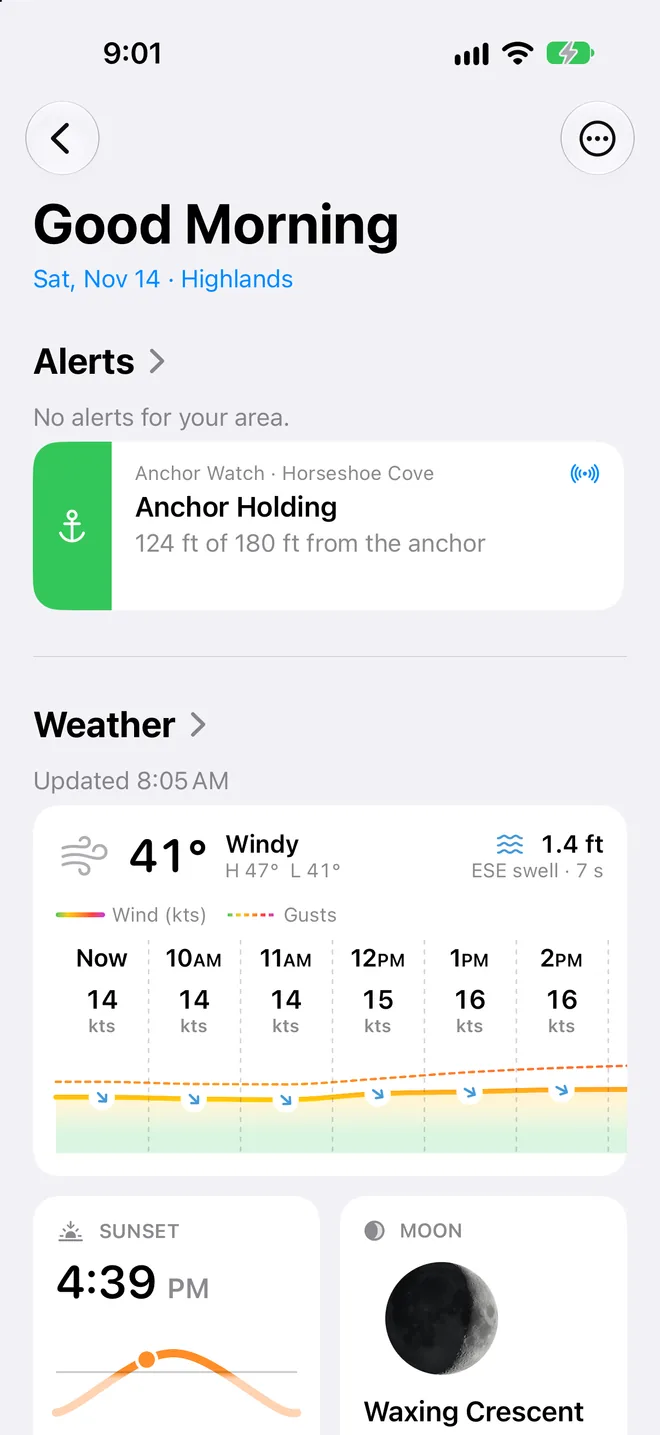
Your other devices, and your crew's, show the boat, its track, and the circle as they happen. On Home, a tile says how the night is going: green while all is well, orange if something needs a look, and red if the anchor drags.
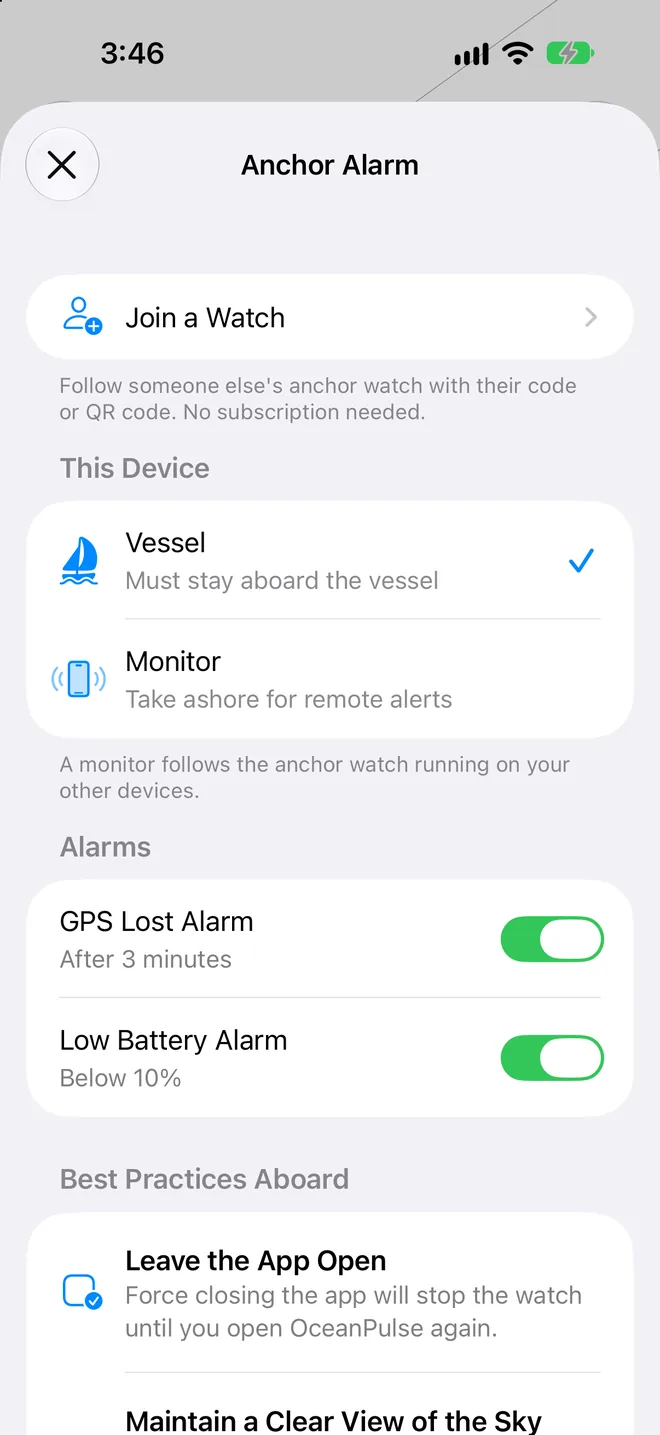
- Vessel or Monitor
- Set the device staying aboard as the Vessel, and the one going ashore as a Monitor.
- Every night kept
- End Watch saves the night to Past Sessions, with the whole track, synced to your devices through iCloud.
User guide
Learn Anchor Alarm inside out
Set a safety circle around your anchor and sleep. The iPhone or iPad you leave aboard sounds an alarm if the boat drags, loses GPS, or runs low on battery, and your other devices follow along, aboard or ashore.
There's more
More from OceanPulse
- Coastal Charts Official NOAA charts for the US, the Great Lakes, and US territories, plus the major inland rivers, with markers, routes, and offline downloads.
- Tracks Record your trips and share them live as you go (Elite), then review, search, and export them, with distance, time, and speed for each.
- Forecast Alerts Set the wind, waves, tide, and weather you want at a spot, and get a push or an email when the forecast matches.
- Weather Routing Pick a start, an end, and a departure time, and watch GFS, ECMWF, and AIFS race to the fastest route for your boat, with every hour of wind and seas along the way.
- Climate Ten years of wind and wave roses, rain, pressure, and sea temperature for every month, anywhere at sea, to plan a passage for the right season.
- NMEA Connect Connect to your boat's NMEA 0183 gateway or Signal K server over WiFi. See AIS traffic on the chart with a close approach alarm, use the boat's GPS, and read its instruments.
Ready to dive in?
Start using OceanPulse today.